
Home

Search form

Menu
  • Home
  • Open Source
    • Categories
  • Forums
    • Unanswered Topics
    • Active Topics
  • Articles
  • Downloads
  • Blogs
  • RSS

ddwrt-openvpn

How to Set Up OpenVPN on NETGEAR R7000 with DD-WRT

mrdrew's picture
Submitted by mrdrew on Tue, 10/11/2016 - 4:20pm
thmb

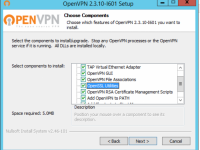
This howto covers setting up an OpenVPN Server for access to your home network as if you were local. It's an excellent alternative to opening a bunch of ports in your firewall and exposing poorly secured programs to the world wide web.

Here's the overview:

  1. install OpenVPN on laptop to generate keys for server and a few clients
  2. configure dd-wrt router
  3. configure clients

Please respond in the Comments what hardware you used this how-to on, and any differences. I will update original article with your input.

  • Read more about How to Set Up OpenVPN on NETGEAR R7000 with DD-WRT
  • 3 comments

Helpful Links

Submit a Download (Registered Users Only)

Meet the MyOpenRouter Experts

How to Flash DD-WRT on Your NETGEAR Router

All Firmware Downloads

Kong DD-WRT Downloads

Active Forum Topics

New & Updated Forum Topics

Unanswered Forum Topics

New forum topics

  • problem with router switch
  • Chip u204 on PCB
  • DD-WRT implementation of Cloudflare Warp via Wireguard
  • Can't find the right build to flash this one V1.0.0.18_10.0.9CP
  • De-bricking WNR3500v2 (not "L") need ideas
More

Popular Articles

How To Debrick Your NETGEAR WNR3500L Using A USB-TTL Cable o
Transform the NETGEAR EX6200 into a Wi-Fi Router with DD-WRT
How to Debrick or Recover NETGEAR R7000, R6300v2, or R6250 W
DD-WRT Kong Mod Info

You are here

  1. Home
Back to Top
Gathernote Magenium Solutions About UsPrivacy PolicyTerms of UseContact Us

MyOpenRouter.com is not affiliated with NETGEAR®. NETGEAR is a registered trademark of NETGEAR, Inc. in the United States and/or other countries. Other brand names mentioned herein are for identification purposes only and may be trademarks of their respective holder(s). © 2020 All rights reserved.