

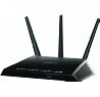
If you would like to build your own version of DD-WRT for Netgear's R7000 Router here are the basic steps.
Prerequisites
- A 32-bit Linux machine (I use Fedora 14)
- Toolchain to compile DD-WRT source code (Use the same toolchain that is used for compiling the stock source code).
- Compilation should be done as root user.
Steps
1. Create a directory path for toolchain.
- mkdir -p /projects/hnd/tools/linux/
2. Copy toolchain to that directory.
- cp hndtools-arm-linux-2.6.36-uclibc-4.5.3.tar.bz2 /projects/hnd/tools/linux/
3. Decompress toolchain.
- cd /projects/hnd/tools/linux/
- tar -jxvf hndtools-arm-linux-2.6.36-uclibc-4.5.3.tar.bz2
4. Comment out the definition
- "typedef float float_t;" in the file "hndtools-arm-linux-2.6.36-uclibc-4.5.3/arm-brcm-linux-uclibcgnueabi/sysroot/usr/include/bits/mathdef.h"
5. Export toolchain path.
- export PATH=/projects/hnd/tools/linux/hndtools-arm-linux-2.6.36-uclibc-4.5.3/bin/:$PATH
6. Decompress DD-WRT source code.
- tar -zxvf dd-wrt_R7000_2-Sep-2013.tgz
7. Select configuration file.
- cd dd-wrt/src/router
- cp .config_R7000 .config
8. Compile the source code.
- make -f Makefile.brcm_arm configure clean all install
On successful compilation, DD-WRT firmware of Negear R7000 will be created.
- Filename: "dd-wrt.v24-K26_R7000.chk"
- Path: "dd-wrt/src/router/arm-uclib
Category:
very well written, Thanks again for your help on my build before kudos!!!!
OK, sorry if this is a real easy question - I've tried to find hndtools-arm-linux-2.6.36-uclibc-4.5.3.tar.bz2 through Google, various websites (NetGear, DDWRT, etc.). The closest I've gotten is here [1] which looks promising, but the files in the bin directory don't appear to work unless I'm missing something (I get no such file or directory even though I used auto-complete, and I did confirm it's +x).
Can you tell me where I can the tool chain from? Thanks!
[1] https://github.com/RMerl/asuswrt-merlin/tree/master/release/src-rt-6.x.4...
I have used same toolchain that i have used for R6250. I got this toolchain along with the R6250 source code from Netgear Website.
Hi,
I have tried to build the image based on the toolchain from Netgear website (from R6300 src package). The build went gave an error with ccache (later I installed), some tmp creation error (also fixed) and trx path not found.
I found there are two trx one is under router/netgear/brcm-arm and the other is under router/netgear. I add the PATH for brcm-arm and the trx package gave me error and of course, the built image bricked the router (recoverable by console and tftpd).
Could you give me some pointers? I used ubuntu 12.04T 32bit server ... (tried Fedora, but not able to get ccache rpm to install, gaved up).
Thanks so very much for your help!
doob
I have already mentioned that I have used toolchain included with R6250 source. Why are you using toolchain included for R6300 source ?? Is there any specific reason behind that ??
Hi
I got this error how to solve it.
on Ubuntu 14.04
This error resolve by
apt-get install ccache
next error
cat not create /root/tmp
resolve by
mkdir /root/tmp
chmod 777 /root/tmp
Next error
cd dd-wrt/src/router/netgear/brcm-arm
ln -s $(pwd)/trx /usr/bin/trx
----------------------------------------------------------------------------
Build success OH GODDDDDDDDDDDDDD !!
Bad news
file dd-wrt.v24-K26_R7000.chk just 7.2mb
I upload to R7000 and it bricked my R7000.
I WILL BE BACK ....
Where can I download the toolchain hndtools-arm-linux-2.6.36-uclibc-4.5.3.tar.bz2