

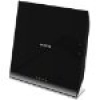
This article describes the steps required for firmware upgrade in R6200v2. Here I use OEM firmware downloaded from the NETGEAR support site and DD-WRT firmware downloaded from here.
1. Log in to the router web interface i.e. 192.168.1.1 and navigate to the Advanced -> Backup Settings as shown in figure
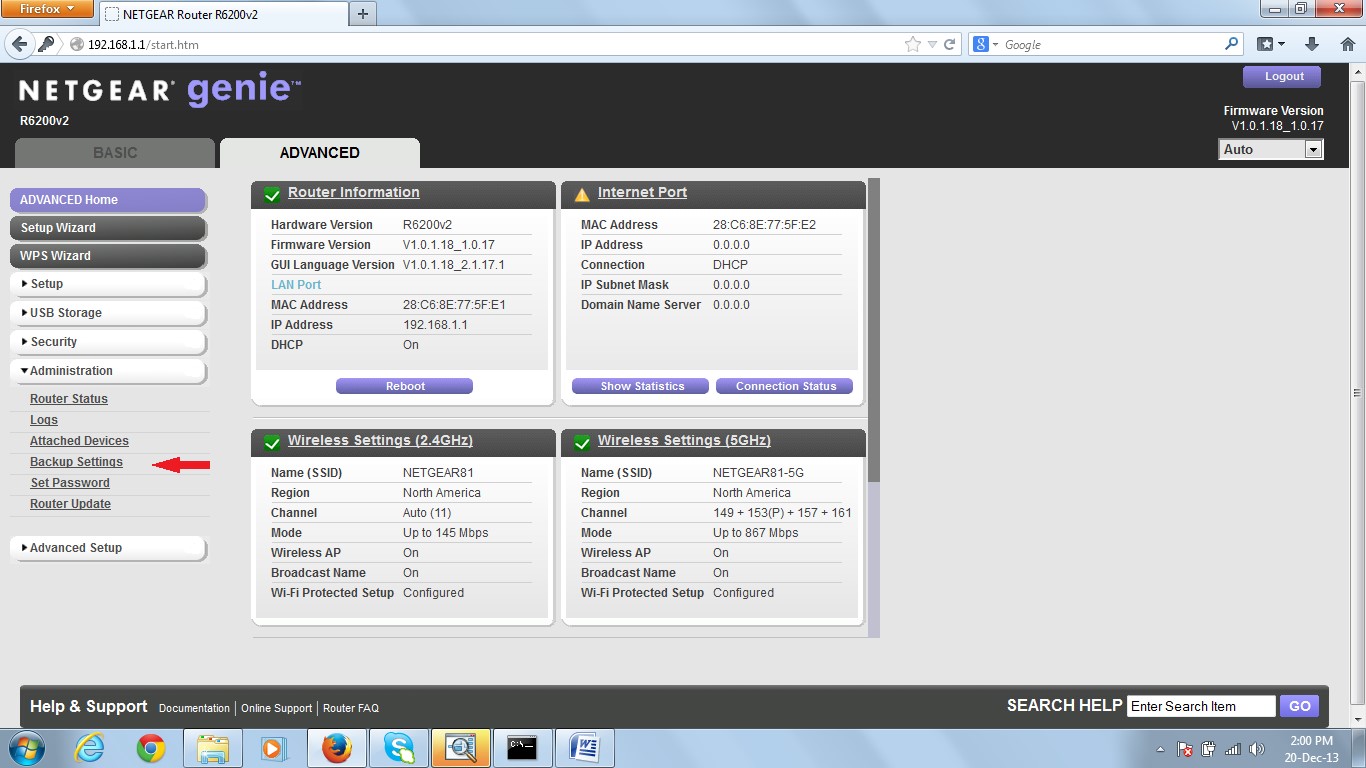
2. Click to “Erase” button under “Revert to factory default settings” section as shown.
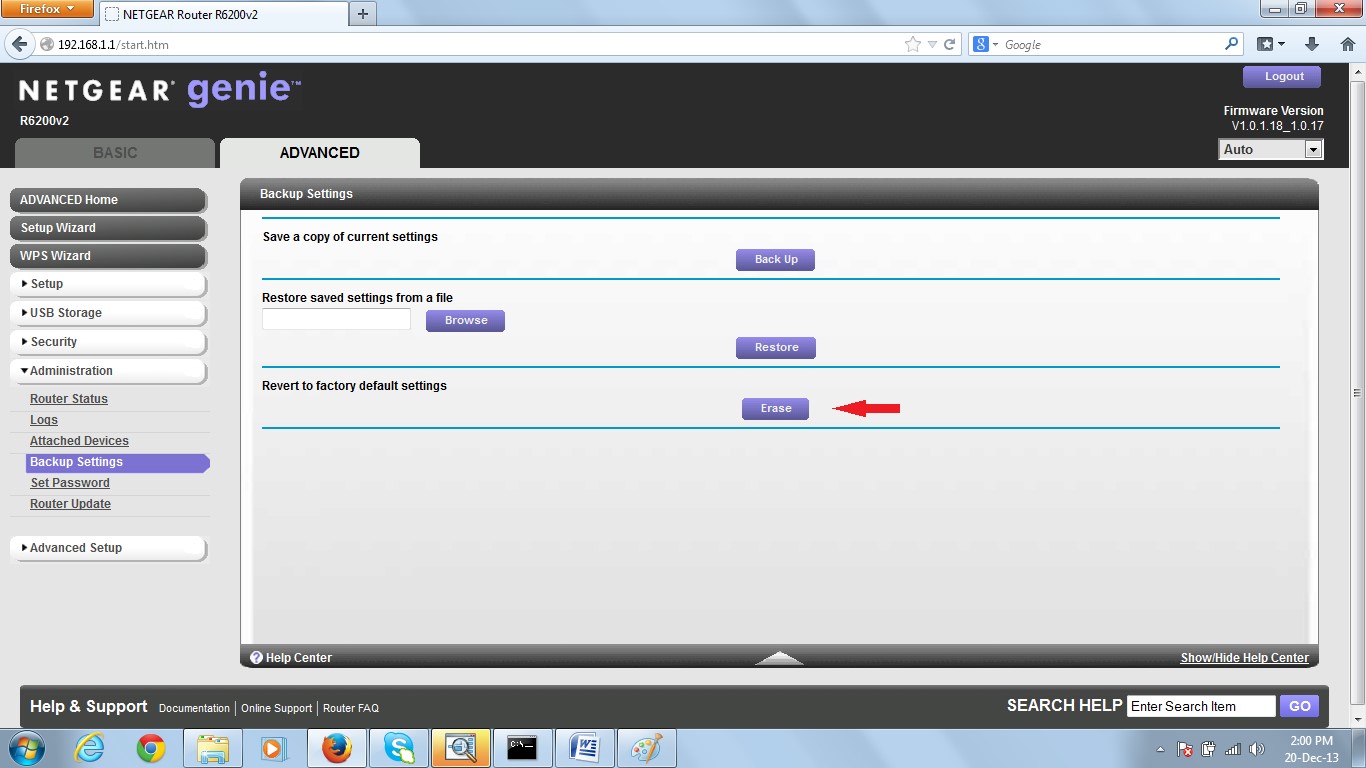
3. Click to “Yes” button as shown in figure 3.
4. A page will be displayed on successful completion as shown in figure 4.

5. Log in to the router web interface i.e. 192.168.1.1 and navigate to the Advanced -> Router Update as shown in figure 5.

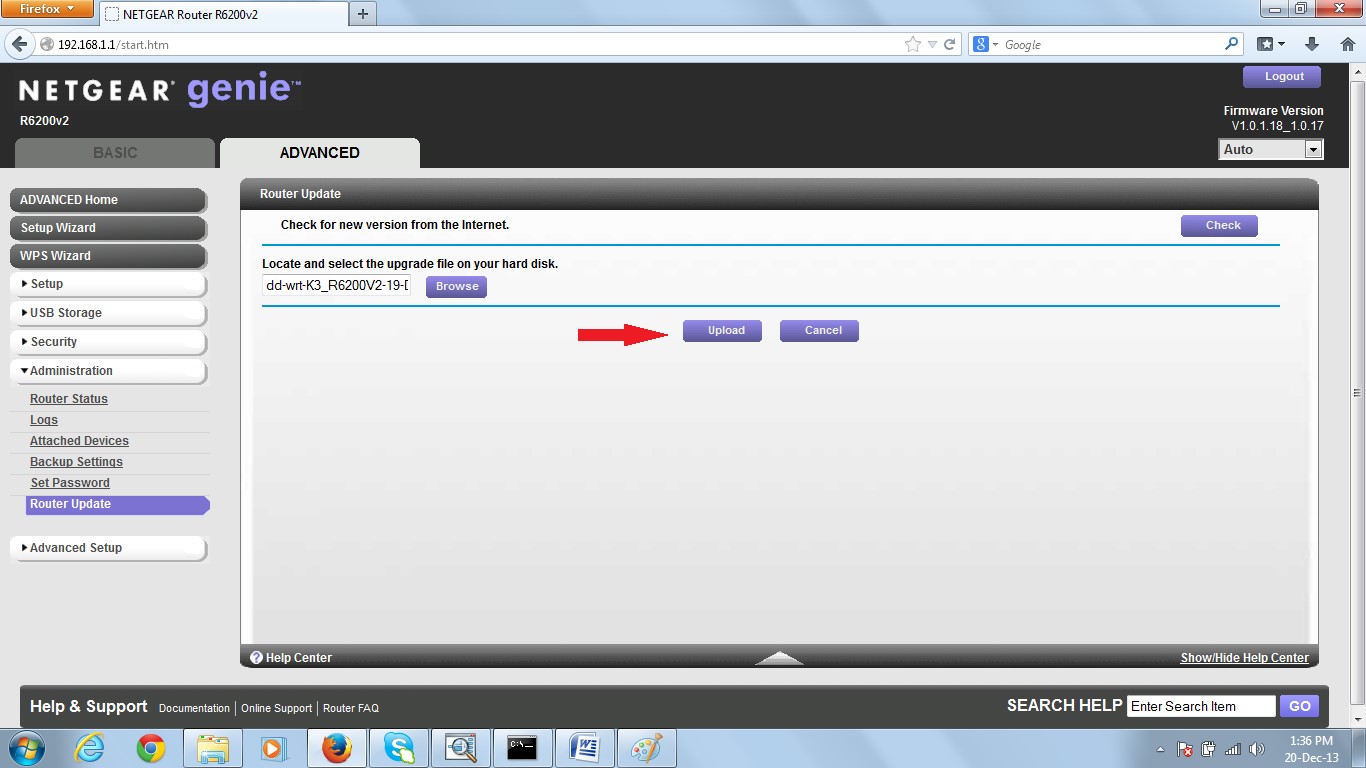
6. Select the path for the DD-WRT firmware that you downloaded and click on the “Upload” button as shown in the figure 6.
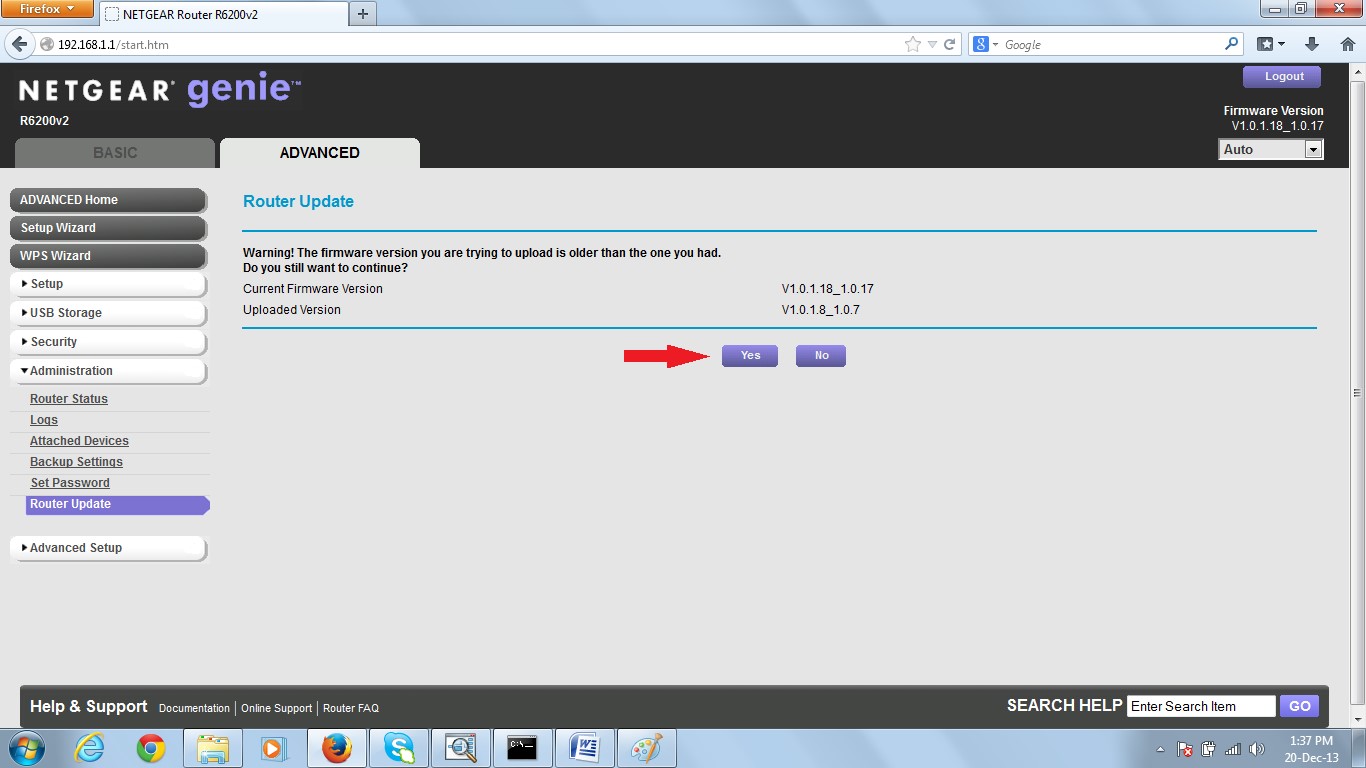
7. Then click on the “Yes” button as shown in figure 7.
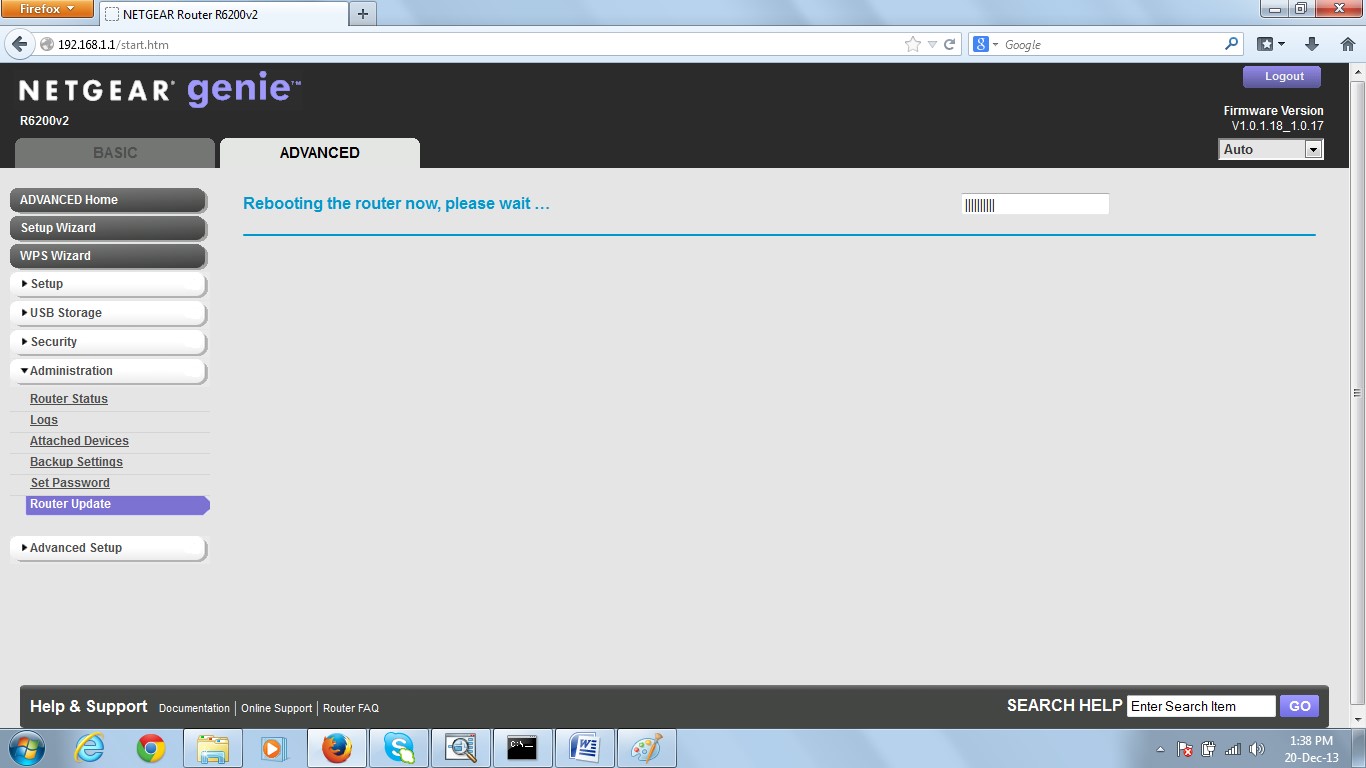
8. A page will be displayed on successful completion as shown in figure 8.
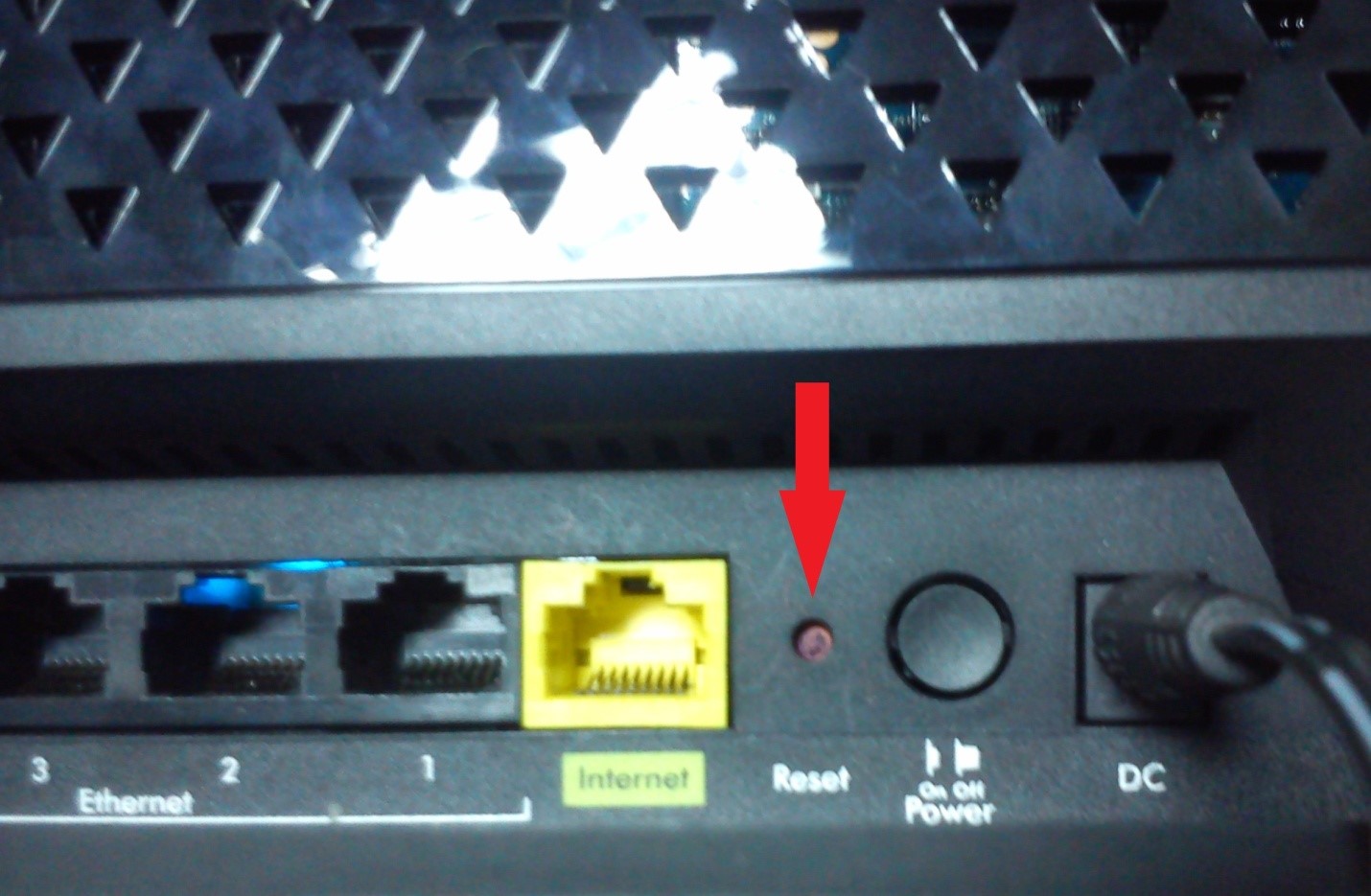
9. It is always recommended to reset the router to factory defaults after successful firmware upgrade. This can be done by pressing the reset button for say 30secs as shown in figure 9. Here I use a pen to press the button.
10. After reset, you will be logged on to the DD-WRT web page and asked to change username and password as shown in figure 10.
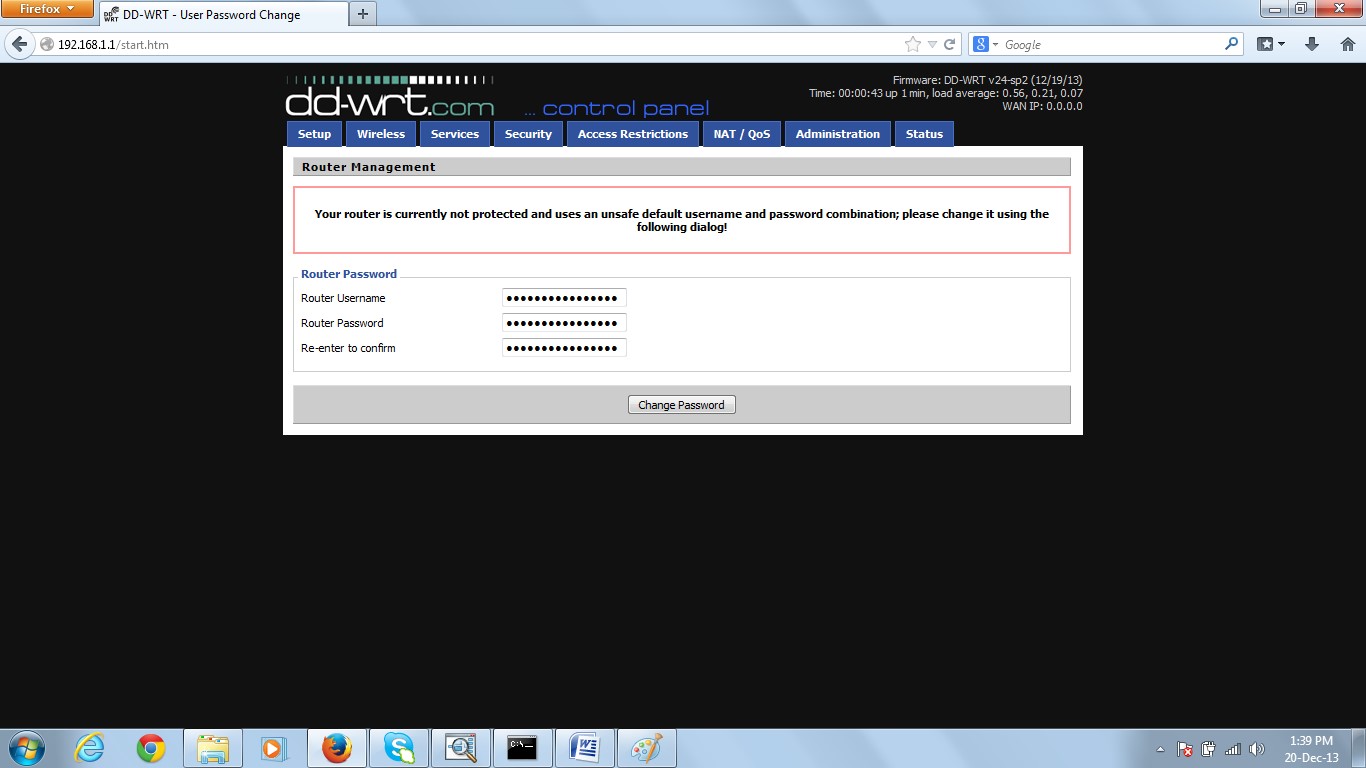
11. Enter the username and password for the same. (Default username = root and password = admin for DD-WRT) and then click on the “Change Password” button as shown in figure 11. It is recommended to clear the cache of your web browser before using it.

12. Then you can see the status page of your router and the firmware version as shown in figure 12.

Great God R6200 how to use this firmware??
Great God R6200 how to use this firmware??
This firmware is not meant for R6200(v1). It is meant for R6200v2.
You will find DD-WRT firmware for R6200(v1) in this link.
Anyone had any success adding a printer to the USB port of the R6200 after installing the DD-WRT firmware? Can't get mine to work.....barring that, anyone know how to flash back to Netgear stock firmware? Any help would be appreciated, Google searching and attempts have come up empty.
You can revert back to stock firmware through "Administration/Firmware Upgrade" option of dd-wrt WebUI.
so will this exact toutorial work with netgear r6200 v1? cuz cant seem to find a toutorial for that model.
The steps are more or less equivalent for R6200v1 and R6200v2. You can refer this tutorial for upgrading dd-wrt in your R6200v1.
Ok thanks man good to know!!!
Out of curiosity, how can I tell what version of the r6200 I have? I noticed in the pictures that it says "r6200 v2" at the upper left in the Netgear Genie pages. Mine just says "r6200". I'm assuming that means v1 but I'm not 100% certain. I have attempted to look around to figure it out with no avail.
Yes your router model is "R6200v1".
It could be ensured by looking at the base of your router (where you get the FCC ID for your router model),
Are there any known issues installing this firmware on the R6200v2? I don't want to brick my router. Thanks.
To know about the issues of any firmware, you should read concerned forum.
I cant DL the version 1 software, I click the DL link and it just seems to load forever. Should I wait more than 5 minutes for it to load? ore is it so old I need a new link. or should I set reset my router before I try to DL it, I don't see how that would matter tho.
Hi Tathagata Das,
I think I bricked my Netgear R6300v2 by downloading your DD-WRT file (K3_R6300V2_15-Dec-2014.chk) and installing it on the update firmware section. I didn't see your instruction page so I'm sure I did it wrong. Now when I operate it, my wifi picks up the network which is titled dd-wrt but it doesn't connect to the internet or any kind of interface. Is there anything you can suggest to get my router back to working order?
Cheers,
Peejing.
doesnt work doesnt let me load the dd-wrt webpage im so frustrated i followed all the steps it worked until the dd wrt page had to come out
Where can i find the download file for my R6200v2 router? In the link given to download the DD-WRT hosted here it only gives me a list with some firmwares for the R6300 or old betas for the R6200v2.